
Bing Webmaster Tools AI Performance is Microsoft's free reporting dashboard, launched in public preview on February 10, 2026, that gives publishers direct visibility into how their content is cited by Microsoft Copilot, ChatGPT (via Bing's shared index), and select partner AI products. For B2B SaaS teams that have struggled to measure ChatGPT citations, this is the single most important free tool released in 2026. This guide covers setup, what each metric means, how to interpret citation trends, and the specific weekly review rhythm that turns AI Performance data into actual optimization decisions.
Introduction
For most of 2024 and 2025, measuring ChatGPT citations was effectively impossible without paid tools. Peec AI and Profound built businesses on the measurement gap. Teams that wanted to track ChatGPT visibility either paid for those tools or ran manual spreadsheet audits that scaled poorly.
Microsoft changed that on February 10, 2026, with the public preview launch of AI Performance in Bing Webmaster Tools. The feature is free. It requires only a verified Bing Webmaster Tools account. And because ChatGPT retrieves through Bing's index, the AI Performance dashboard gives indirect but meaningful visibility into how ChatGPT retrieves and cites your content.
This is not a silver bullet. It does not expose ChatGPT-specific citation data as a separate stream. It does not cover Gemini, Perplexity, or other engines that use different indexes. But for B2B SaaS teams specifically, and for anyone prioritizing ChatGPT visibility, AI Performance is the closest thing to a direct analytics product that exists in 2026. Setting it up should be a same-week priority.
Quick Summary
What Is Bing Webmaster Tools AI Performance?
AI Performance is a dashboard within the Bing Webmaster Tools interface that reports how your site's content is being used by AI products that query Bing's index. It covers Microsoft Copilot directly, Bing's own AI summaries, and ChatGPT indirectly (since ChatGPT retrieves through Bing's index, the same URLs that appear in Bing AI contexts are also likely appearing in ChatGPT retrieval).
The dashboard was launched in public preview on February 10, 2026. Microsoft positioned the launch as giving publishers "first look at how AI systems cite their content." The feature is expected to stay in preview for several months before general availability, with incremental metric additions as Microsoft observes publisher usage.
What the dashboard is not: a full ChatGPT analytics product. Microsoft and OpenAI have separate business relationships, and OpenAI has not published its own ChatGPT citation analytics. The AI Performance data is a proxy signal for ChatGPT behavior, not a direct measurement. The correlation is meaningful but not perfect.
Why Does This Matter More Than Most GEO Tools?
Three reasons.
First, it is free. Peec AI, Profound, and similar dedicated AI citation measurement platforms are subscription products starting around $299 per month. For teams that cannot justify that spend yet, AI Performance is the first credible free option. This removes a budget barrier that was gating AI citation measurement for most mid-market B2B SaaS teams.
Second, it covers the largest AI surface. ChatGPT has over 880 million monthly users in early 2026. Microsoft Copilot is the default AI product inside the Microsoft 365 enterprise ecosystem. Together, these two engines represent the majority of AI search and assistance usage in B2B contexts. A free tool that covers both, even indirectly, is meaningful.
Third, the data has direct actionability. Page-level citation activity tells you which specific URLs are pulling weight in AI retrieval. Grounding queries show you which queries your content is being used to answer. Citation trends show whether your optimization work is moving the needle. Each of these is a direct input for the next week's editorial and technical priorities.
How Do You Set Up AI Performance for Your Site?
The setup is straightforward but has a few moving parts.
Step 1: Verify your site in Bing Webmaster Tools. If you are not already verified, go to bing.com/webmasters and add your site. Verification can happen through DNS TXT record, HTML file upload, or XML sitemap ownership. DNS TXT is the most reliable for larger sites.
Step 2: Submit your sitemap. Bing Webmaster Tools needs to know your URL inventory. Submit your sitemap.xml through the Sitemaps section of the interface. This is standard practice but skipping it undermines the AI Performance data because Bing needs to have indexed your content for citation data to be meaningful.
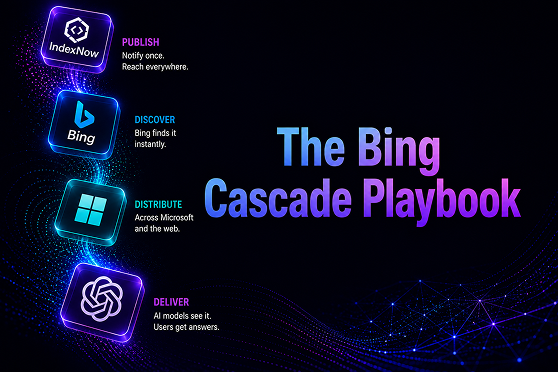
Step 3: Enable IndexNow if not already active. The IndexNow protocol accelerates recrawl and improves the freshness of the data AI Performance reports on. If you have not enabled IndexNow, do so as part of the AI Performance setup.
Step 4: Navigate to AI Performance. In the Webmaster Tools interface, AI Performance appears as a distinct section in the left-hand navigation. In the public preview, there may be a "join waitlist" option before full access is granted. Microsoft has been granting access quickly for verified publishers.
Step 5: Review the initial dashboard. The dashboard populates with data from the past 30 days as soon as access is granted. Five metrics are visible: total citations, average cited pages per day, grounding queries, page-level citation activity, and citation trends. The initial review should establish baseline numbers before any optimization work.
Total setup time: under one hour if Bing Webmaster Tools is already configured. Two to three hours if starting from scratch.
What Metrics Does AI Performance Report?
Five primary metrics, each with distinct usage patterns.
Total citations. The aggregate count of times your site's URLs appeared in Microsoft Copilot, Bing AI summaries, or partner AI products during the reporting window. Track week-over-week to see whether the trend is up, flat, or down.
Average cited pages per day. A smoothed metric showing how many distinct URLs from your site are cited on a typical day. This is more useful than total citations because it filters out day-to-day variance and shows the breadth of your citation footprint.
Grounding queries. Queries where your content was used to ground the AI's answer, even if your brand was not cited by name. This is a surprising metric because it reveals the "almost cited" case. Your content is informing the answer but not getting attribution. Optimization opportunity: strengthen the content structure so grounding converts to citation.
Page-level citation activity. A breakdown by URL showing which specific pages are driving the most citations. This is the most directly actionable metric. Pages with high activity deserve refresh priority. Pages with zero activity despite traffic are candidates for structural rework (better definitions, fuller FAQPage schema, more extractable passages).
Citation trends over time. A 30-day rolling average showing whether your overall citation rate is trending. Useful for validating whether the work is working (in aggregate) without getting distracted by individual day-to-day variance.
How Should You Interpret Citation Trends?
The absolute numbers matter less than the trends. Three patterns to watch.
Steady upward trend. Good. Your optimization work is compounding. Continue the rhythm that produced it.
Flat trend at low baseline. Your content is being indexed but not retrieved for actual AI queries. Common causes: schema not fully populated, on-page Q&A content missing, pages behind login or JavaScript. Diagnose which specific pages are not converting and work on those.
Flat trend at high baseline. Your content is well-positioned but the category is saturated or you have hit a competitive ceiling. Optimization at this point moves to earned media (trade publications, Reddit, LinkedIn Pulse) rather than on-page work.
Downward trend. Something changed. Common causes: content decay from lack of refresh, competitor who just published fresh deep content, Bing algorithm update. Diagnose by looking at which specific URLs lost citation weight in the last 30 days.
The review cadence matters. Weekly is ideal for active optimization periods. Monthly is sufficient once the program is stable.
What Actions Should Each Metric Drive?
This is the "signal to action" map. It converts AI Performance data into concrete weekly decisions.
How Does AI Performance Compare to Peec AI, Profound, and Azoma?
Honest comparison matters.
AI Performance (Bing Webmaster Tools). Free. Covers Microsoft Copilot directly and ChatGPT indirectly. Limited to engines that use Bing's index. No Gemini, Perplexity, or Claude coverage. Update frequency is daily. Best for teams prioritizing ChatGPT and Copilot on a budget.
Peec AI. Paid, starting around $299/month. Multi-engine (ChatGPT, Perplexity, Gemini, Google AI Overviews, Claude). Prompt-level tracking with brand mention and source URL detail. Best for teams that need cross-engine visibility and prompt-level granularity. Red-engage uses Peec for the quarterly CRA analysis published in our Best AI Search Visibility Agencies Ranked report.
Profound. Paid, enterprise. Largest dataset (1B+ ChatGPT citations analyzed). Strong for benchmarking against broader industry data. Pricing reflects the scale.
Azoma. Paid. Uses simulation-based testing ("digital twin") to predict AI search visibility before content is published. Different methodology from the retrieval-based trackers.
For B2B SaaS teams starting their AI citation measurement work, the pragmatic path is AI Performance (free, free) plus a weekly manual spreadsheet audit of 10 category queries. Add Peec AI when the volume of measurement or the need for multi-engine coverage justifies the spend. Add Profound only at enterprise scale.
What Are the Limits of AI Performance Today?
Transparency on what the tool cannot do.
It does not expose ChatGPT citations as a distinct stream. The data is bundled under "AI Performance" which groups Microsoft Copilot, Bing AI summaries, and partner AI products. Inferring specific ChatGPT citation activity requires interpretation, not direct reading.
It does not cover Gemini, Perplexity, or Claude. These engines use different indexes and are not tracked by Bing Webmaster Tools. Multi-engine visibility requires dedicated tools.
It is in public preview. Metrics may change, data backfill may be limited, and edge cases may produce unexpected behavior. Treat the numbers as directional rather than absolute.
It does not expose competitor citation data. The dashboard shows your citations only. Benchmarking against competitors requires separate work (Peec AI does this natively; AI Performance does not).
The API is limited. Export functionality and API access are constrained in the preview. For programmatic integration into dashboards or pipeline reports, wait for general availability.
These are real limitations. They do not make the tool less valuable. They clarify what the tool is for and what it is not for.
Key Takeaways
- Bing Webmaster Tools AI Performance is the first free, direct measurement tool for ChatGPT and Microsoft Copilot citation activity. Launched February 10, 2026 in public preview.
- Five key metrics: total citations, average cited pages per day, grounding queries, page-level citation activity, citation trends.
- Setup takes under an hour for teams already using Bing Webmaster Tools. Two to three hours from scratch.
- Weekly review cadence during active optimization. Monthly once the program is stable.
- Not a replacement for multi-engine tools (Peec AI, Profound) but a credible free alternative for ChatGPT and Copilot-prioritized teams.
Frequently Asked Questions (FAQs)
Does AI Performance cover ChatGPT directly?
Indirectly. ChatGPT retrieves through Bing's index, and the AI Performance dashboard reports on Bing index usage by AI products. Microsoft and OpenAI have separate business relationships, so ChatGPT-specific citations are not broken out as a distinct stream. The correlation is meaningful, not perfect.
Is AI Performance a replacement for Peec AI or Profound?
For ChatGPT and Copilot-focused teams, it is a credible free starting point. For teams needing multi-engine coverage (Gemini, Perplexity, Claude), it is not sufficient. The pragmatic path is AI Performance plus manual audits first, then add Peec AI when budget allows.
How often does the data update?
Daily, with a smoothing window applied to prevent single-day spikes from distorting the trend view. The dashboard shows 30-day rolling averages and week-over-week comparisons by default.
What happens if my site is not in Bing's index?
No data. AI Performance reports on content Bing has indexed. If your Bing indexation is thin (common for sites that only optimize for Google), the first step is getting sitemap.xml submitted and IndexNow enabled. Measurable AI Performance data typically appears 2 to 4 weeks after Bing indexation expands.
Can I use AI Performance to track my competitors?
No. The dashboard shows your site's data only. Competitor benchmarking requires Peec AI, Profound, or manual audit work. AI Performance is an owned-data tool.
When will AI Performance move out of public preview?
Microsoft has not committed to a date publicly. Based on typical Microsoft feature rollout patterns, general availability is likely in Q3 or Q4 2026, with additional metrics (API access, competitor comparison, content recommendations) added before full GA.